Hardware Wallets 101: How to Store Crypto Offline Safely with a Hardware Crypto Wallet
A hardware crypto wallet is a small physical device that keeps your private keys offline, tucked away from the computers and phones where hackers, malware, and phishing scams do their dirty work....

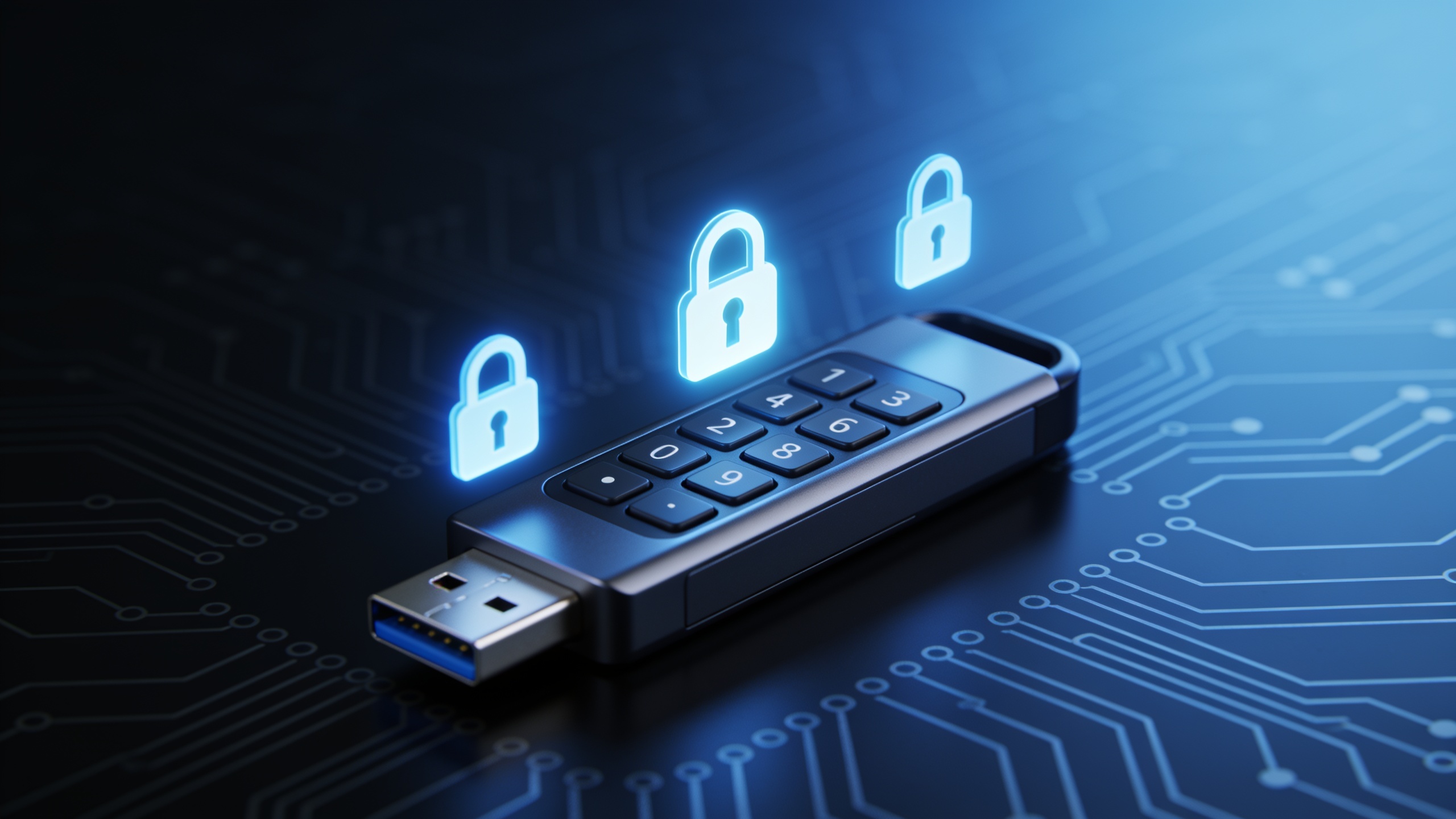
A hardware crypto wallet is a small physical device that keeps your private keys offline, tucked away from the computers and phones where hackers, malware, and phishing scams do their dirty work. That's the whole pitch. Unlike a software wallet or leaving your coins on an exchange, a hardware wallet stores your keys in a sealed-off little box, so even if your laptop is riddled with malware or your email gets popped, your crypto stays out of reach. This guide covers what these devices actually do, how cold storage is different from a hot wallet, and how to set one up without shooting yourself in the foot.
Table of Contents
- What Is a Hardware Crypto Wallet?
- How Does a Cold Storage Wallet Differ From a Software Wallet?
- Why Use a Hardware Crypto Wallet? Key Security Benefits
- What Types of Hardware Wallets Are Available?
- How Do You Set Up a Hardware Crypto Wallet? Step-by-Step Guide
- Common Mistakes to Avoid With a Cold Storage Wallet
- How Much Does a Hardware Crypto Wallet Cost?
- Frequently Asked Questions
What Is a Hardware Crypto Wallet?
A hardware crypto wallet is a dedicated physical device, usually shaped like a USB stick, a credit card, or a little gadget with a keypad, built for one job: generating, storing, and using your private keys without ever letting them touch an internet-connected device. Your private key is the cryptographic secret that proves you own your coins and lets you spend them. Whoever holds it holds the money. Simple as that.
So instead of stashing that key inside a browser extension or a phone app, a hardware wallet locks it inside a secure chip on the device itself. When you want to send a transaction, your computer or phone builds the transaction and hands it over to the wallet. The device signs it internally, using the private key that never actually leaves the chip, and then spits out only the signed, approved transaction to broadcast to the network. People call this "cold signing," because the signing happens in that isolated little offline environment even though the device might be briefly plugged in over USB or paired via Bluetooth to send the result out.
And no, this isn't the same as writing a password on a sticky note. A hardware wallet is purpose-built kit with real security features, a secure element chip, a PIN, physical confirmation buttons, designed to shrug off both remote hackers and someone physically prying at it.
How Does a Cold Storage Wallet Differ From a Software Wallet?
A cold storage wallet keeps your private keys completely offline, while a software wallet (a "hot wallet") keeps them on an internet-connected device, which makes it handier but a lot more exposed. The whole difference comes down to one word: exposure. Cold storage never dangles your keys in front of malware, fake sites, or remote exploits. A hot wallet, on the other hand, is only ever as safe as the device and network it's sitting on.
Software wallets are your mobile apps, browser extensions, and desktop programs. They're free, fast to set up, and genuinely convenient for day-to-day trading or moving small amounts around. The catch is that the private key lives on a device that's constantly online, which makes it a juicy target. Keyloggers, clipboard hijackers (nasty little programs that swap the wallet address you copied for the attacker's instead), fake wallet apps, phishing pages built to con you into typing your recovery phrase... the list goes on.
Hardware wallets sidestep all that by keeping the key locked in a secure chip that won't cough it up even mid-signing. The trade-off, of course, is convenience. You need the physical thing in your hand to approve anything, and setup takes more than tapping "download."
| Feature | Hardware Wallet (Cold Storage) | Software Wallet (Hot Wallet) | Exchange Custody |
|---|---|---|---|
| Where private keys live | Offline, inside a secure chip on the device | On an internet-connected phone or computer | Held by the exchange, not the user |
| Exposure to malware/phishing | Very low | Moderate to high | Not applicable to the user directly, but account can be phished |
| Convenience for frequent trading | Lower — requires physical device | High | Highest |
| Setup complexity | Moderate | Low | Low |
| Who controls the keys | You | You | The exchange (custodial) |
| Typical use case | Long-term holding, large balances | Everyday spending, small balances | Active trading |
| Cost | One-time device purchase | Usually free | Usually free |
If you're holding any real amount of crypto for the long haul, getting it off an exchange and into cold storage is about as close to gospel as security advice gets in this space. And it's a lesson the industry keeps relearning the hard way, thanks to years of exchange hacks and blowups. That's exactly why "not your keys, not your coins" became such a tired-but-true mantra.
Why Use a Hardware Crypto Wallet? Key Security Benefits
The big reason to use a hardware crypto wallet is that it yanks your private key off of your everyday online devices entirely, which slashes the odds of someone stealing your funds remotely. A few specific things make that work.
Isolation From Internet-Based Attacks
Since the private key is born and stays inside the device's secure chip, malware running on your phone or computer simply can't read it. Even a fully compromised machine can only see the transaction request. The signing key itself stays untouchable.
Physical Transaction Verification
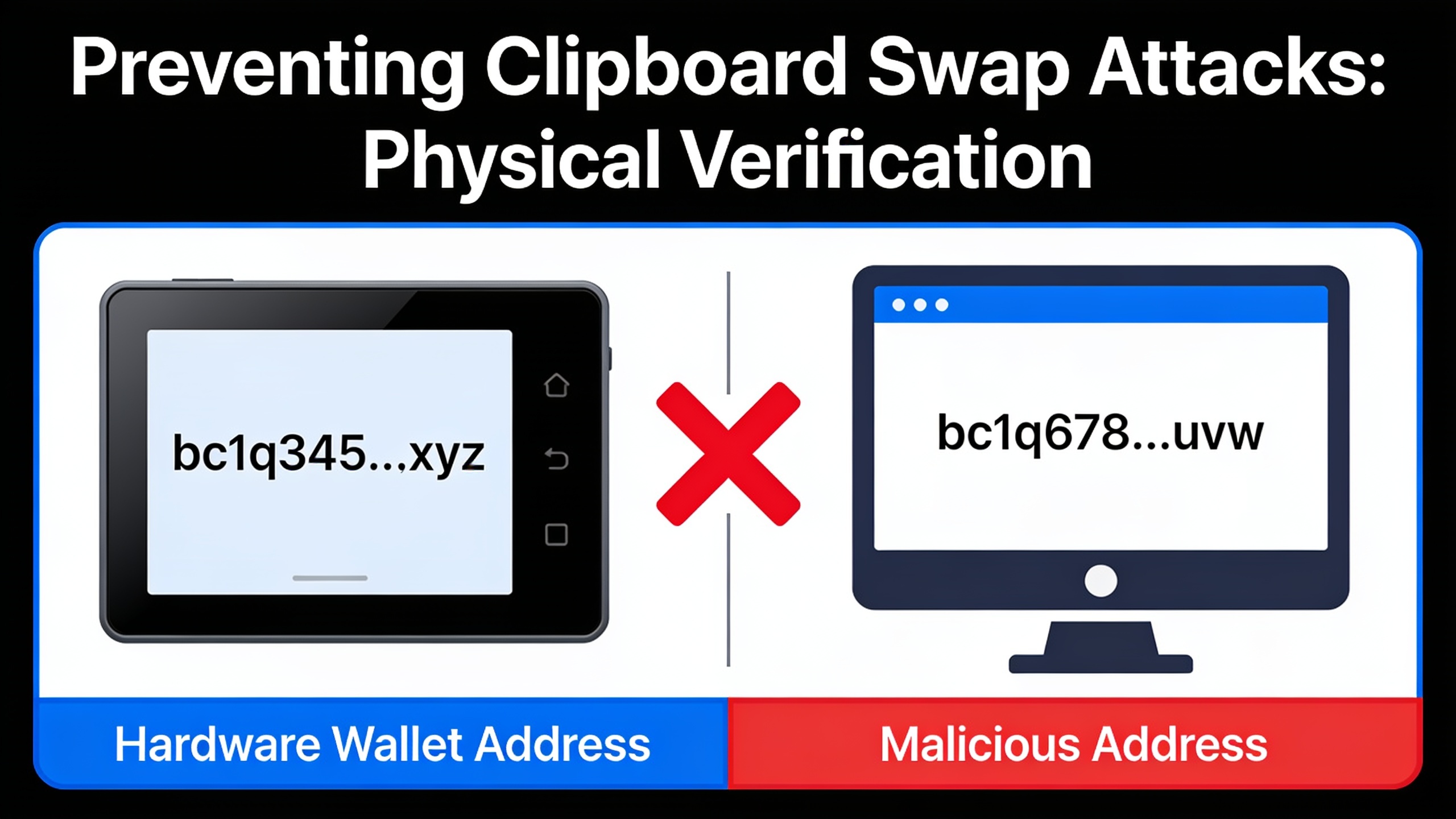
Most hardware wallets have a little screen and physical buttons, so you can eyeball the actual recipient address and amount on the device before you approve anything. This is what kills that clipboard-swap attack I mentioned earlier. If malware quietly replaced the address you pasted with the attacker's, you'd catch it, because the address on the device screen wouldn't match what you expected. That tiny screen is doing more work than it looks like.
PIN and Passphrase Protection
Every hardware wallet needs a PIN to unlock, and a lot of them let you add an optional passphrase on top, which spins up a hidden wallet. Handy extra insurance if the device itself gets lost or lifted.
Recovery Phrase Backup
During setup, the wallet generates a recovery phrase (usually 12 or 24 words) that can restore your funds onto a brand-new device if the original dies, breaks, or vanishes. Honestly, this phrase is the real backup of your money. Guarding it well matters even more than guarding the device.
This kind of self-custody matters most for people stacking meaningful balances over time, long-term investors and even the big fish whose every move the market watches. That's a dynamic worth reading up on in Crypto Whale Tracking: How Big Wallets Move Markets, which digs into how the on-chain activity of large wallets can hint at where sentiment is heading. Locking a big position into cold storage isn't only about your own peace of mind either. It also keeps those coins out of the centralized, hackable pools that keep getting drained in exchange breaches.
What Types of Hardware Wallets Are Available?
Hardware wallets mostly break down into a few categories based on how they talk to your computer or phone, and how "air-gapped" (that is, physically cut off from any network) they are. Getting a feel for these buckets helps before you start comparing specific models.
You've got USB-connected devices, which plug straight into your computer with a cable and chat with companion software on your desktop or browser. Wired, dead simple, no wireless signals to worry about. Then there are devices with Bluetooth or mobile connectivity, which pair wirelessly with a phone app. More convenient when you're out and about, though wireless does, at least in theory, widen the attack surface compared to a wired-only device.
Air-gapped devices take the paranoid route and skip USB and Bluetooth altogether, moving transaction data around with QR codes or microSD cards instead. Because they never physically connect to anything that's online, a lot of people consider these the most isolated flavor of cold storage. And finally there are card-style or minimalist devices, compact and stripped-down, often just tapping your phone via NFC (near-field communication) instead of using a cable. These trade the built-in screen for pure pocketability.
Whatever category you land on, the core rule doesn't change: the private key never leaves the device in an exposed, unencrypted form. When you're picking, just be honest with yourself about the balance you want, maximum isolation versus everyday convenience, and how often you actually plan to move funds around.
How Do You Set Up a Hardware Crypto Wallet? Step-by-Step Guide
Setting up a hardware wallet follows roughly the same rhythm no matter the brand, though the exact menus and app names shift from device to device. Always, always follow the official guide that came in the box or lives on the manufacturer's own website. Here's the general flow.
Step 1: Buy Directly From the Manufacturer or an Authorized Reseller
Get your device from the official manufacturer site or a retailer they explicitly endorse. Steer clear of random third-party sellers on marketplaces, because a tampered device could arrive with its recovery phrase or firmware already compromised before you ever open it.
Step 2: Verify the Device Is Unmodified
Crack open the box and check for the tamper-evidence features described in your device's docs. If anything looks off, or worse, if there's a pre-printed recovery phrase sitting inside, stop right there and contact support. A legit device should always make you generate your own phrase from scratch. If yours didn't, something's wrong.
Step 3: Install the Official Companion App
Download the companion software only from the manufacturer's official website or a verified app store listing. This app is just the messenger between your computer and the device. It never touches your private key, only the public transaction data.
Step 4: Initialize the Device and Set a PIN
Walk through the on-device prompts to create a new wallet. You'll set a PIN directly on the hardware wallet itself, not typed into your computer, which is exactly why a keylogger can't grab it.
Step 5: Record Your Recovery Phrase on Paper
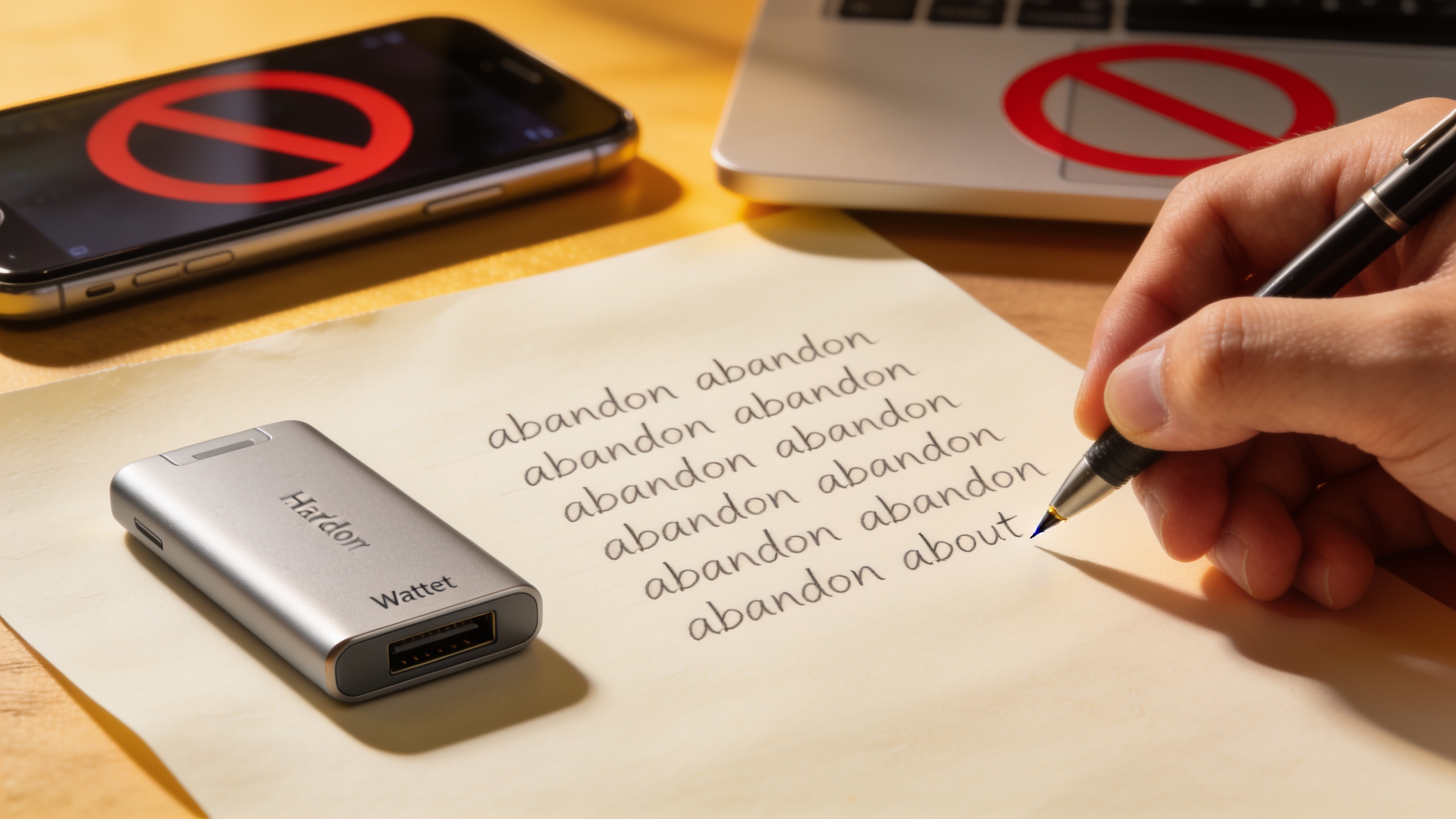
The device shows your recovery phrase one word at a time, on its own screen. Write these down by hand, on paper or whatever physical backup medium came with it, in the exact order shown. Do not type this phrase into a computer, a phone, an email draft, a cloud note, or a photo. Any digital copy of the phrase throws away the entire point of cold storage. I can't stress this enough.
Step 6: Verify the Backup
Most devices will make you re-enter a few words from the phrase to prove you wrote it down right. Do this before you put any money in.
Step 7: Store the Recovery Phrase Securely
Keep the written phrase somewhere genuinely safe, a fireproof safe, a safe deposit box, that sort of thing, and keep it separate from the device itself. It's also worth thinking about a second copy in a different location, just in case of fire, flood, or a break-in at the first spot.
Step 8: Install Only the Coin Apps or Accounts You Need
Through the companion app, add support for the specific coins you're actually going to hold. Most devices let you enable individual blockchains as needed rather than loading up everything at once.
Step 9: Send a Small Test Transaction First
Before you move your whole stack, send a tiny amount to the new wallet address and make sure it lands. Only after that test clears should you send the big transfer. Skipping this is how people lose everything to a single typo.
Step 10: Verify Addresses on the Device Screen
From here on out, for every single transaction, confirm the receiving address on the hardware wallet's own screen matches what you meant, not just what's on your computer. Malware can lie to your monitor. It can't lie to the device.
Common Mistakes to Avoid With a Cold Storage Wallet
The worst mistakes with a cold storage wallet almost always come back to the recovery phrase, not the device. Since that phrase can restore full access to your funds on any compatible device, fumbling it wipes out the entire benefit of going offline in the first place.
The classic blunder is storing the recovery phrase digitally. Typing it into a password manager, a notes app, a cloud drive, or snapping a photo of it drags you right back into the internet-connected exposure cold storage was supposed to kill. Just as bad is entering the recovery phrase into a website or app. No legit wallet company or software will ever ask you to type your full phrase into a browser or app. Ever. If something asks, it's a scam impersonating support, full stop.
Then there's buying a used or suspiciously cheap device from an unverified seller, which risks getting a unit that's been tampered with to leak your keys. And skipping the test transaction, because firing off a huge balance to a fresh address without checking a small one first is a great way to learn you mistyped something the expensive way.
The scariest one, though, is losing the only copy of your recovery phrase. If your device dies and you've got no backup, that money is gone. Permanently. There's no support line, no password reset, nobody holding a spare key, because that's literally the whole design. Oh, and don't forget about firmware updates. Manufacturers push them out to patch vulnerabilities, and ignoring them leaves known holes open. Just make sure you only grab updates through the official app or website.
How Much Does a Hardware Crypto Wallet Cost?
Hardware wallets are almost always a one-time purchase, not a subscription, and the price swings depending on the brand, the build quality, and features like a screen, Bluetooth, or how many coins it can juggle. Because pricing and model lineups shift constantly and vary by retailer, do yourself a favor and check current prices straight from each manufacturer's official site rather than trusting some old number you read somewhere.
What doesn't change is the basic deal: pay once for the hardware, and in exchange you pull your private keys out of the endless firing line of online threats. The more your crypto is worth, the more obvious that trade becomes. For anyone who's built up a stash through trading, staking, or mining, that one-time cost usually looks tiny next to what it's protecting. Miners especially, the folks weighing hardware buys like the ones in Best Bitcoin ASIC Miners 2025: Which Rig Delivers Top ROI?, should just bake a cold storage wallet into the overall budget. Coins piling up in an exchange account or hot wallet carry the same online risk as any other crypto, mined or not.
Frequently Asked Questions
So is a hardware wallet actually hack-proof?
Nothing is immune to literally every attack, let's be real. But a hardware wallet pulls the private key out of internet-connected environments, which knocks out the most common threats like remote malware and phishing-based key theft. What's left is mostly physical theft paired with someone knowing your PIN, or plain old user error like leaking your recovery phrase.
What happens if I lose my hardware wallet?
If you've still got your recovery phrase, you're fine. Grab a new compatible device (or use compatible wallet software) and restore full access with that phrase. This is the whole reason guarding the phrase beats guarding the device.
Can I use one wallet for a bunch of different cryptocurrencies?
Most modern hardware wallets let you enable apps or accounts for lots of different blockchains through their companion software. That said, the exact supported coins differ by brand and model, so check the specific device's supported-assets list before buying if you're after a particular coin.
Do I even need a hardware wallet if I only hold a little bit?
Depends on your risk tolerance and how you use the funds, honestly. For small amounts you spend often, a reputable software wallet might be totally fine. But plenty of careful investors still shuffle any balance they'd hate to lose into cold storage as their holdings grow.
Is buying from an online marketplace safe?
Buying from random third-party sellers on general marketplaces is a gamble, since a device could theoretically be tampered with before it reaches you. Going straight through the manufacturer's official site or an explicitly authorized retailer is the safer play. Not worth saving a few bucks to find out otherwise.
Cold storage isn't a one-and-done chore you tick off and forget. It's an ongoing habit, protecting your recovery phrase, checking addresses on the device, keeping firmware current. Treat it that way and a hardware wallet turns "not your keys, not your coins" from a bumper sticker into something you actually live by, giving you real, offline control over money that would otherwise be sitting exposed on your devices or somebody else's platform.